The Individual report for PAT Tuhituhi contains a number of components that can be displayed or hidden using the toggle feature in the right-hand filter menu.
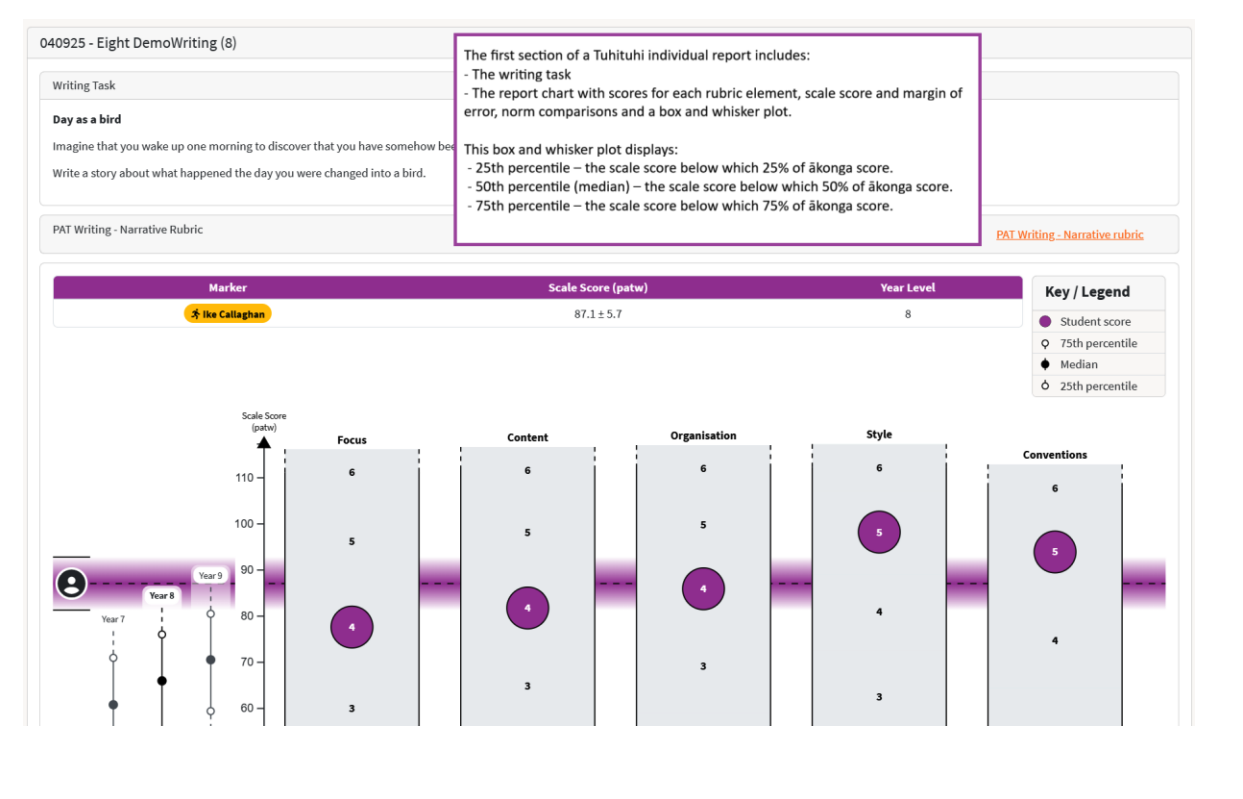
The first section displays the assessment (task), assessment name, student name, and the writing prompt.
The second section displays the prompt genre and has a link to view/download a pdf copy of the marking rubric.
The chart below displays the five rubric elements and scores (1-6). In the chart header you can see who the Marker was (Autoscored or the Assist user who manually marked the response) as well as the overall score and Year level information.
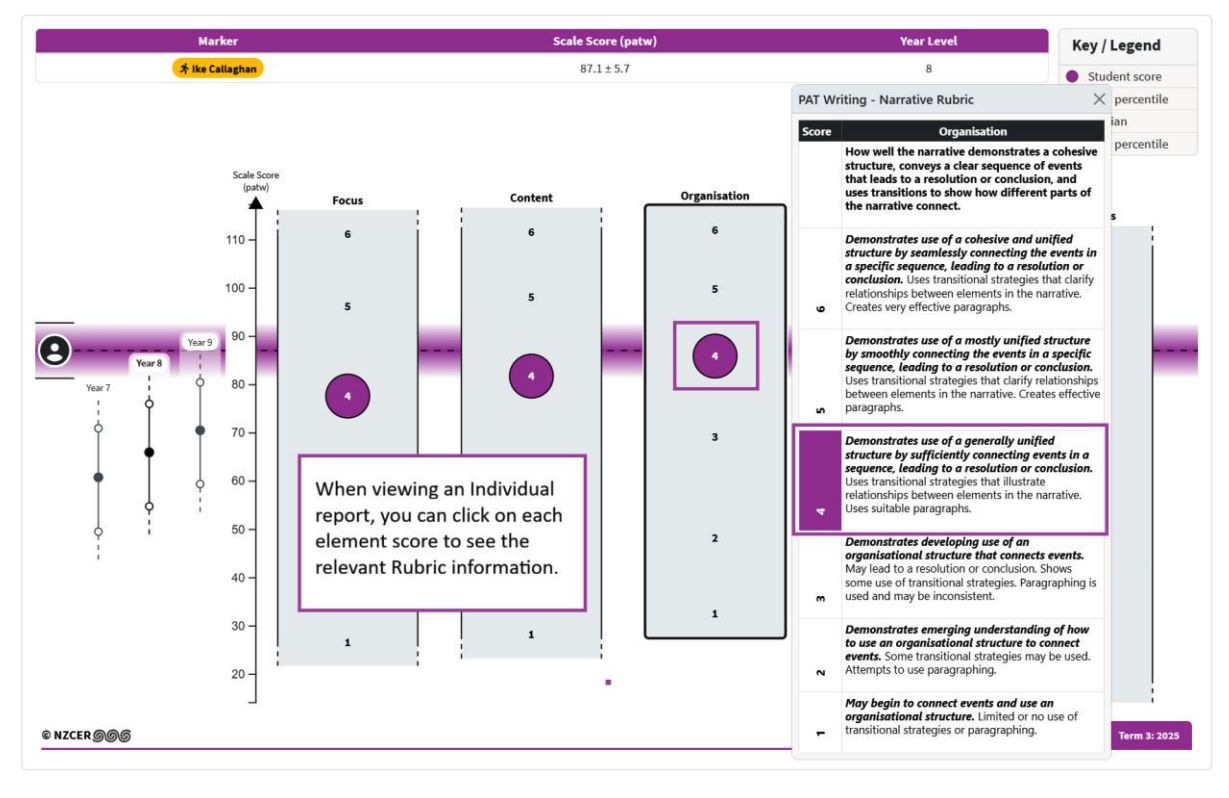
You can click on a rubric element to view a pop-up with details about the selected element. It will display the rubric information for that element and the student’s score.
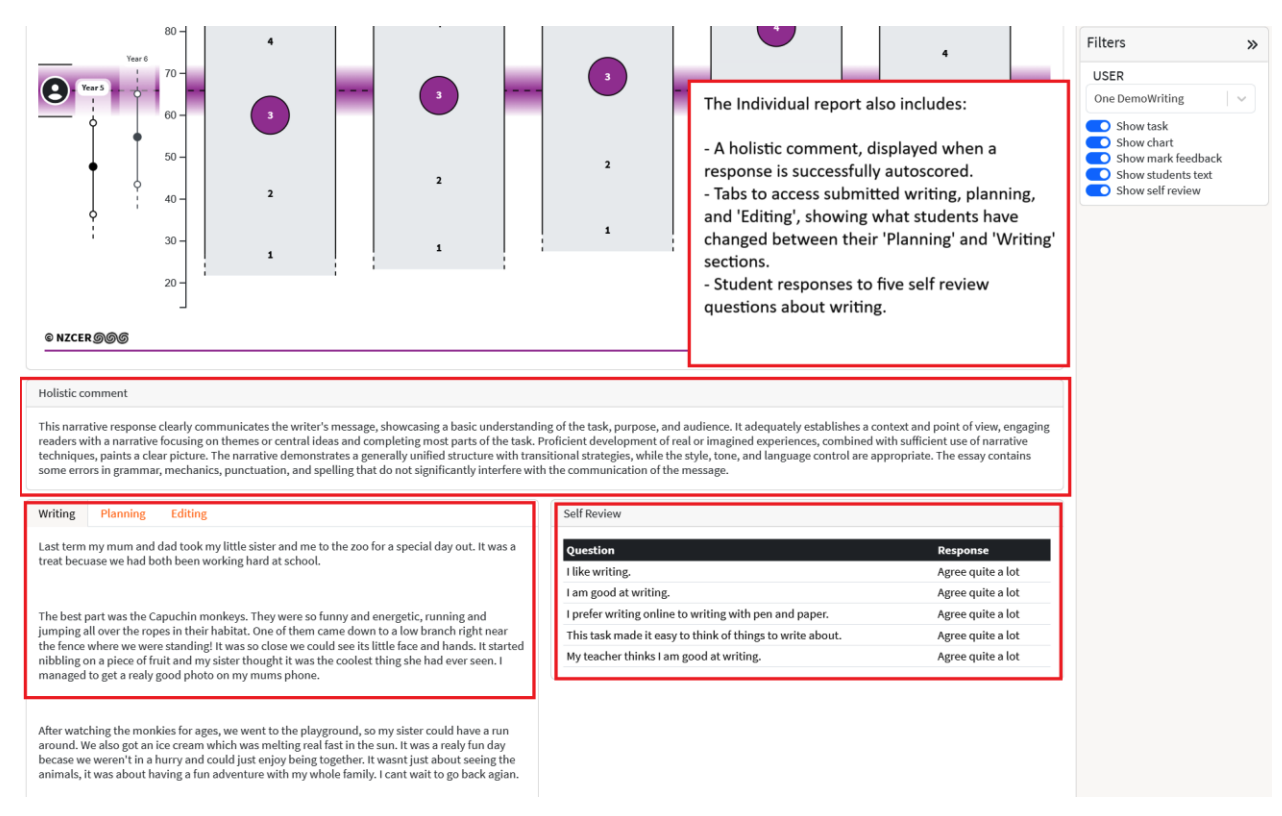
The final section of the Individual report includes the Holistic comment (supplied as part of autoscoring),
It also has three tabs that display the Writing, Planning, and Editing activity of the student. The Editing tab shows a track change view and allows you to see how students edited and/or made use of the online writing tools when crafting their writing. The final section displays the five Self Review questions that students complete at the end of their PAT Tuhituhi assessment.